Tesla generation guide

Tesla Model S product changes by year

Model S is the Tesla page that benefits most from a clean timeline. Tesla changed battery badges, drivetrains, Autopilot hardware, screens, suspension, and interior architecture many times without using traditional generations.

  • 2012-2014 cars are classic-fascia, pre-Autopilot Model S builds.
  • October 2014 introduced Dual Motor AWD and the first Autopilot hardware era.
  • The big later breaks are the 2016 fascia refresh, 2016 Autopilot hardware 2 change, 2018 MCU2, 2019 Raven, 2021 Plaid refresh, and 2025 late update.
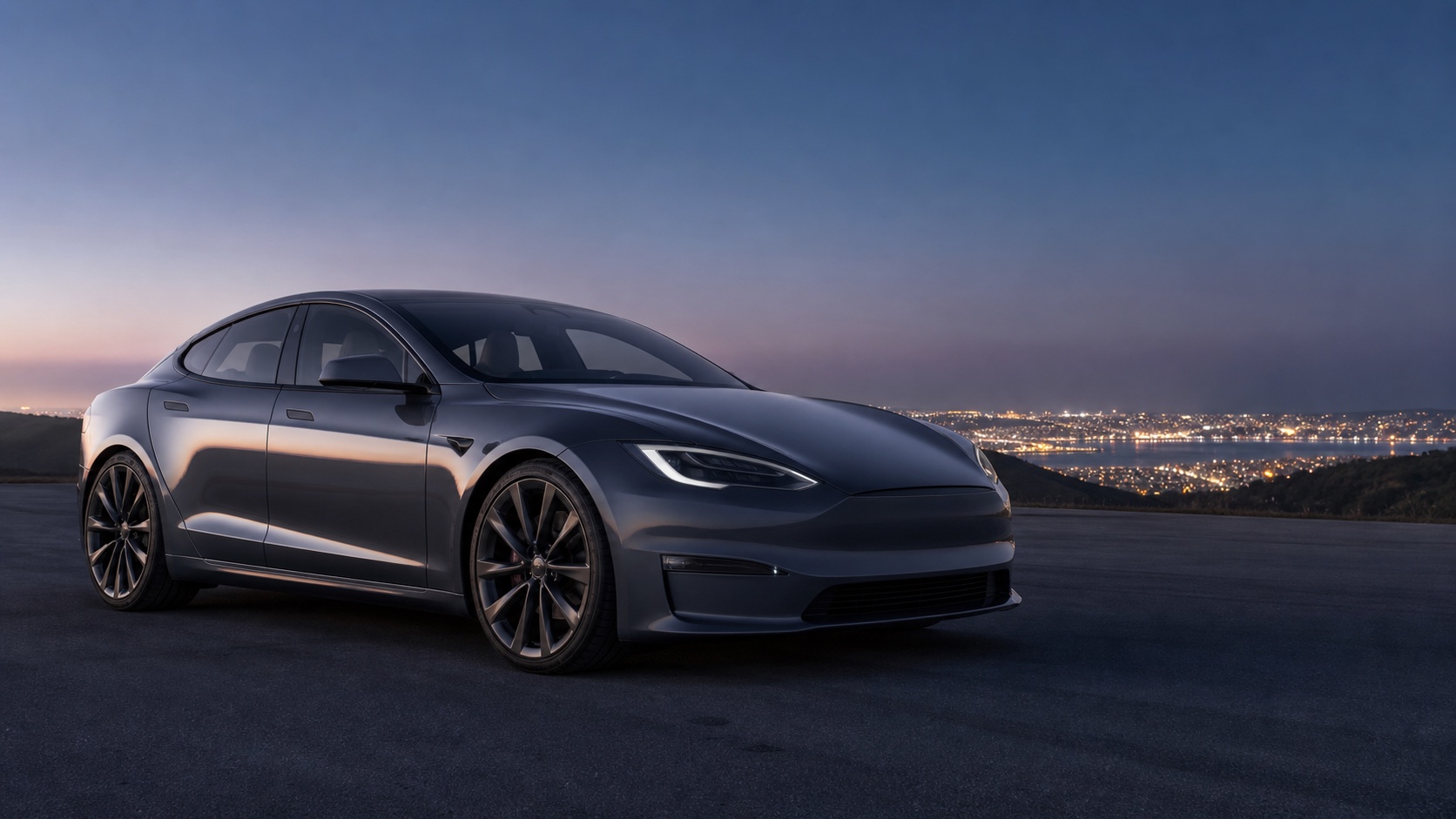
Blue electric luxury sedan on a mountain road for the Tesla Model S guide

Tesla Model S product changes over the years

Use these production eras as the simple first pass before comparing individual vehicles.

2012-Oct 2014
1

Original classic-fascia Model S

The first Model S cars established the large liftback sedan shape, 17-inch vertical touchscreen, rear-drive layout, and early battery badge language.

  • Classic nose with the faux-grille front fascia.
  • Rear-wheel-drive 60, 85, and Performance-style battery and powertrain badges.
  • MCU1 infotainment hardware and the original vertical display architecture.
  • No factory Autopilot camera hardware on this first era.
Oct 2014-Apr 2016
2

Dual Motor and Autopilot 1 hardware

Tesla revealed Dual Motor AWD and Autopilot hardware in October 2014, creating the first major split in Model S history.

  • D-badged cars introduced dual-motor all-wheel drive, including P85D and later performance variants.
  • Autopilot 1 hardware arrived with the first camera/radar/ultrasonic driver-assistance sensor set.
  • Performance naming expanded around P85D, P90D, Insane, and Ludicrous-era acceleration upgrades.
  • The body still used the classic front fascia and MCU1 interior electronics.
Apr 2016-Oct 2016
3

New front fascia, still Autopilot 1

The 2016 exterior refresh replaced the classic nose with the smoother front fascia associated with later Model S cars.

  • Smooth nose design, revised front lighting appearance, and painted lower trim updates.
  • This short era combines the newer exterior with Autopilot 1 hardware.
  • MCU1 remained the infotainment hardware.
  • Some late pre-AP2 cars overlap with desirable comfort and interior option combinations.
Oct 2016-Mar 2018
4

Autopilot hardware 2 and 100 kWh era

Tesla moved Model S to its next driver-assistance hardware generation in late 2016 while the 100D and P100D era became the flagship used-market shorthand.

  • Autopilot hardware 2 replaced the earlier Mobileye-based hardware with a broader Tesla camera suite.
  • Autopilot hardware 2.5 followed during 2017 as an incremental computer and camera-color update before MCU2 arrived.
  • Enhanced Autopilot and Full Self-Driving Capability language started to appear around this hardware change.
  • 100D and P100D became major range and performance reference points.
  • MCU1 was still common through this period.
Mar 2018-Apr 2019
5

MCU2 and FSD computer transition

The next major change was inside the car: the newer media computer made the interface faster and enabled newer entertainment features.

  • MCU2 replaced MCU1 in new production, improving touchscreen speed and later software feature support.
  • Autopilot hardware 2.5 was common in this period.
  • Tesla began the FSD computer transition in 2019.
  • The exterior still matched the 2016 refresh body.
Apr 2019-Jan 2021
6

Raven powertrain and adaptive suspension

The Raven update changed how late pre-refresh Model S cars drive and how range-focused examples compare.

  • More efficient front drive unit and powertrain tuning increased range.
  • Adaptive air suspension replaced the earlier air suspension setup.
  • Long Range Plus cars pushed Model S past the 400-mile EPA range milestone.
  • These are still vertical-screen, pre-Plaid interior cars.
2021-2024
7

Plaid and horizontal-screen refresh

The 2021 Model S refresh was the largest Model S redesign, changing the interior architecture and introducing Plaid.

  • Plaid introduced a tri-motor flagship with 1,020 hp published output.
  • The main display moved from vertical to 17-inch landscape orientation, with a rear passenger display added.
  • New interior layout, revised second row, ventilated front seats, and yoke-focused controls defined early refresh cars.
  • Later production brought steering wheel choice and newer driver-assistance computer and camera hardware on some builds.
2025-2026
8

Late flagship update and inventory era

The late Model S era kept the 2021 architecture but refined range, aero, cabin, suspension, lighting, and camera details.

  • Tesla's current U.S. specs list Model S and Model S Plaid with dual-motor or tri-motor powertrains, 19- or 21-inch wheels, and 250 kW Supercharging.
  • The 2025 update brought new wheel and aerodynamic details, quieter-cabin work, suspension refinements, adaptive headlights, ambient lighting, and a front bumper camera.
  • Early 2026 reporting says Model S custom ordering moved toward an inventory-only phase as Tesla wound down the program.

Next step

Move from Tesla Model S history to the exact VIN.

The timeline explains the product era. The decoder connects a specific vehicle to trim, drivetrain, battery, charging, hardware, wheel, paint, and option details.

Cookie preferences

We use first and third-party cookies and similar technologies to collect website usage data and improve, protect, and promote our products and services. You can choose to accept all cookies or accept only necessary cookies.